
You can use Songtradr Studio to manage your music licenses, including extensions on existing licenses to manage their terms or move their expiration to a later date.
To begin the extension process, log into the Massive Studio homepage. From there, click the Licenses module, located in the third module to the right side (pictured below).
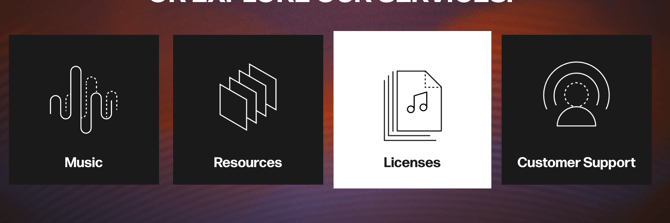
Once you've clicked on the module, you will be taken to the My Projects screen. From here, you will be able to toggle between Library Licenses (licenses for library tracks) and Commercial Licenses (licenses for commercial music) and Library Licenses (licenses for library tracks).

Navigating Library Licenses
Unlike commercial licenses, license extensions do not need to be regularly maintained for library tracks. Once you have declared a new declaration on a library track, that same track is covered for the length of your project.
You can see your library licenses in the Library Licenses tab on the top of the My Projects screen. As with commercial licenses, selection will be noted by the section being underlined in orange.
Once in the Library Licenses tab, you can identify all the license terms associated with a project, similar to the commercial licenses tab. These include who declared the license, who downloaded it, and the date it was declared.
You will also, as with commercial licenses, be able to see the status of these terms in this section.
To sort your licenses, select the proper date range within the dropdown menu (pictured below), located at the bottom of the Library licenses section.
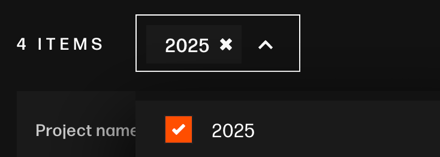
Once you've selected the proper date range, you can view relevant licenses.

From this section, you may also export your licenses as a CSV file with the Export as CSV button, as well as search through your licenses using the search bar on the righthand side. A download icon on the righthand side of each track will also give you the option to download a PDF of that track's license.