
Through the Library tab, you can take advantage of a variety of tools and options for your tracks, including:
- Creating new playlists or viewing existing ones.
- Viewing your downloaded tracks, and getting them cleared for use.
- Seeing a list of the tracks that you've liked.
- Checking tracks that you've recently played.
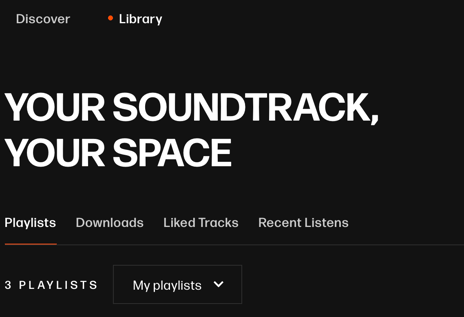
To access the Library section, simply click on the Library tab (pictured below), located at the top of the screen in the main Studio toolbar.
Selection will be indicated by an orange circle next to the tab.
Playlists
Users can create personal or team playlists, then add tracks to curate their music.
To create a new playlist, begin in the Library section. From there, navigate to the Playlists tab, located beneath the section header, and select the Create Playlist button (pictured below).
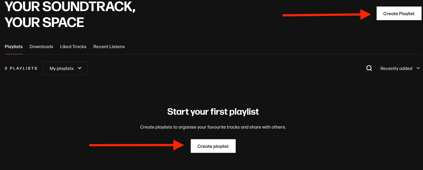
Clicking this button will open a corresponding Create a new playlist dialog box.
Users will have the option to add a custom Playlist name and Playlist description. A name is required, but a description is not. Once a title and/or description have been added to the corresponding forms, click the Create playlist button to complete the process.
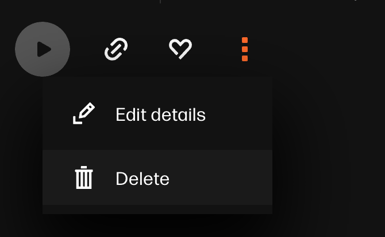
Once a playlist has been created, the user can use the "three-dotted" icon (pictured below) beside each playlist name to access and use the following options:
- Share: Copy a share link to the playlist that can be shared with external users.
- Delete: Permanently remove the playlist from your My Playlists tab.
- Edit details: Change the name of the playlist.
Downloads
Users can view all the tracks they have downloaded by navigating to the Downloads tab of the Library section.

Likes
When a user finds a track and clicks the heart-shaped Like icon on a track, it will be added to their Liked list for easy access. Clicking the Liked Tracks tab within Library (pictured below) will show all the liked tracks for a specific user.

Recent
All tracks that you listen to while using Studio are collected in the Recently listened tab (pictured below). Through this tab, you can easily find recent tracks in your listening history, even if you didn't "like" them or add them to a playlist. The menu will give you an option to "like," download, or access the standard "three dot" menu for tracks.
